

Connect to Autest
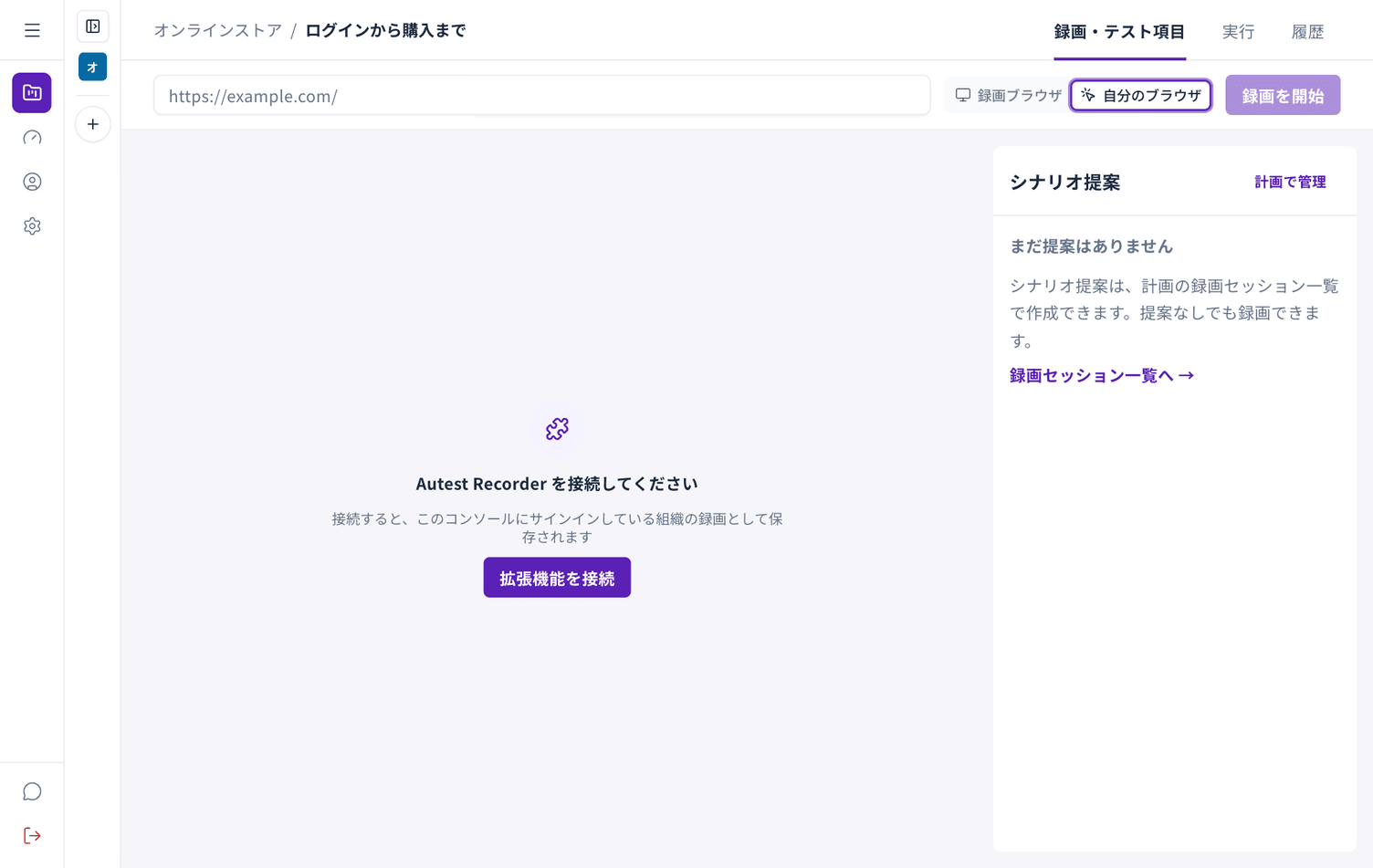
The extension has no sign-in screen. You connect it from Autest.
- Sign in to Autest
- Open a test plan and choose Record (or New recording after the first time)
- Choose My browser in the switch to the right of the URL field
- Choose Connect extension
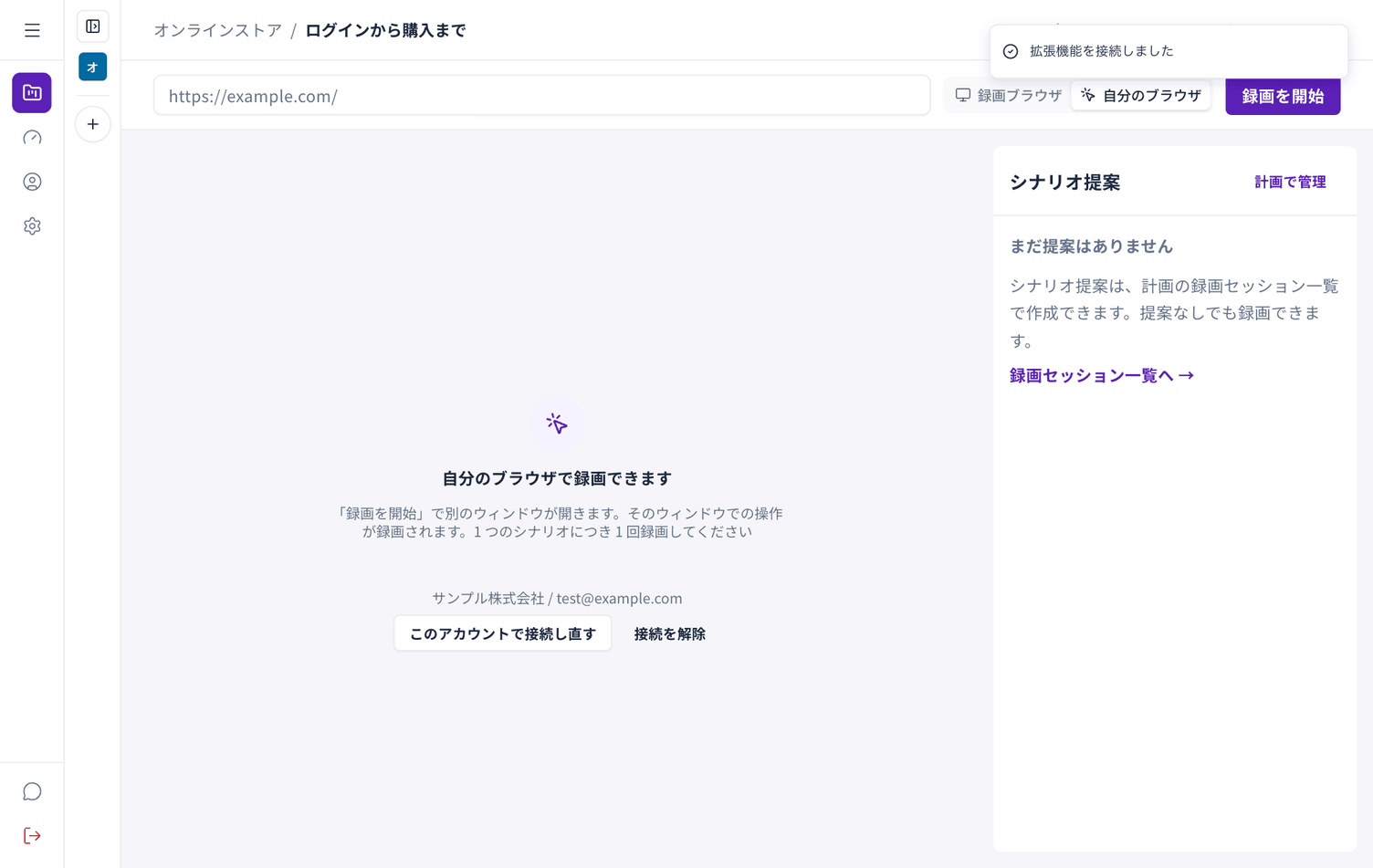
Once connected, your organisation name and email address are shown.
How long a connection lasts
Section titled “How long a connection lasts”A connection is valid for 90 days. However, connecting again from another computer or another tab ends the previous connection. One person has one active connection.
Checking the state
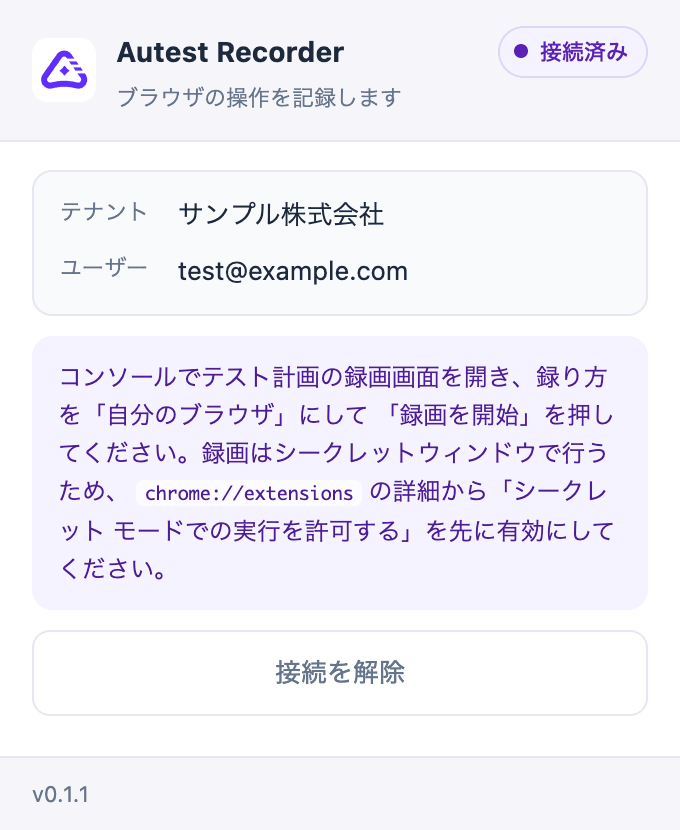
Section titled “Checking the state”Choose the Autest icon at the top right of Chrome to see the current state.
| State | Meaning | What to do |
|---|---|---|
| Not connected | Not connected yet | Follow the steps above |
| Connected | Ready to record | — |
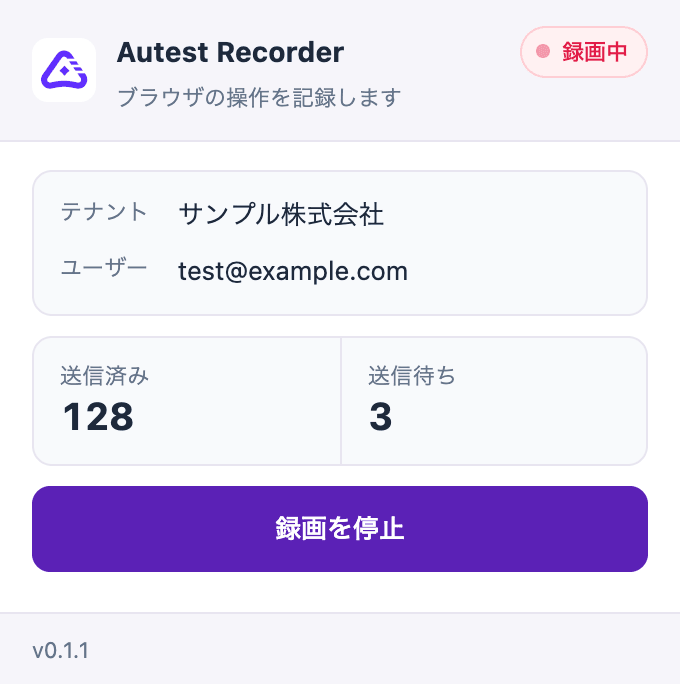
| Recording | Capturing | The sent count should be going up |
| Recording interrupted | Nothing was saved | Check the reason and record again |
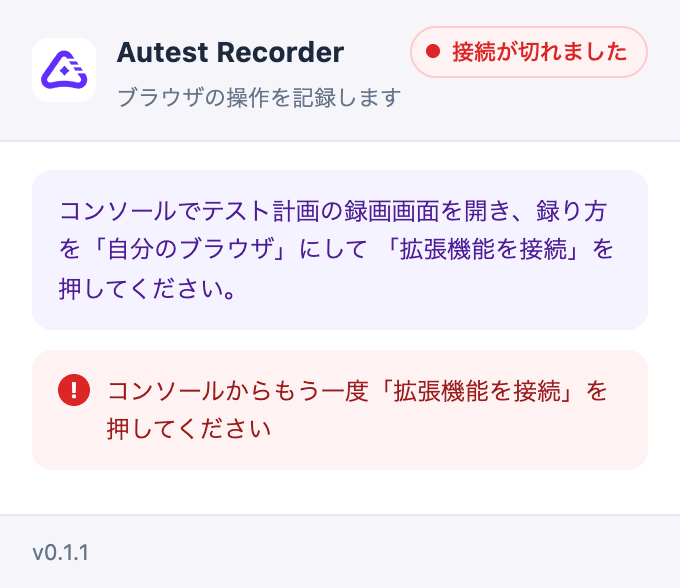
| Connection ended | The connection is no longer valid | Choose Connect extension again |
| Cannot reach Autest | No connection to Autest | Check that you are online |
While recording, the sent and pending counts are shown.
When a connection ends, the message stays until you reconnect.
Disconnecting
Section titled “Disconnecting”Choose Disconnect in Autest, or Disconnect in the Autest icon at the top right of Chrome. Either one also invalidates the connection on the server.
Disconnect is hidden while recording. Stop the recording first.