

Run your tests
Once you have test cases, you can run them automatically.
Starting a run
Section titled “Starting a run”- Open the Run tab of a test plan
- Check what is about to run
- Choose Start run
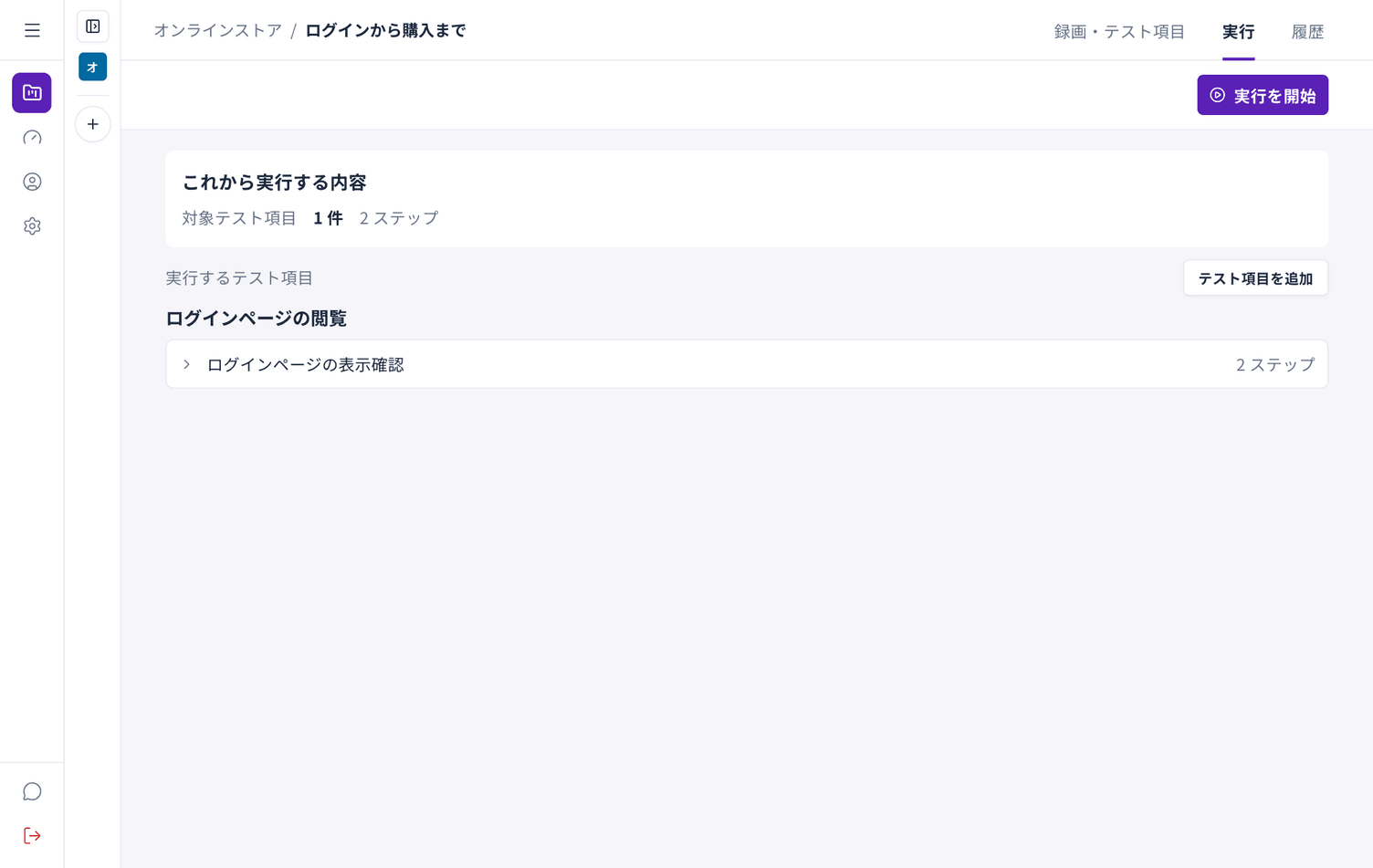
The screen shows how many test cases are included and the total number of steps.
Running only part of it
Section titled “Running only part of it”Clear the checkbox on a group in the Recordings and test cases tab to leave it out. To run only what you picked, use Run selected.
While it runs
Section titled “While it runs”Progress is shown as it goes. You can close the screen; the run continues. Results are in the History tab afterwards.
How long it takes
Section titled “How long it takes”Each test case takes from tens of seconds to a few minutes depending on its steps. Larger sets run in sequence.
When it finishes
Section titled “When it finishes”You get a count of the results. Choose View results for the detail.
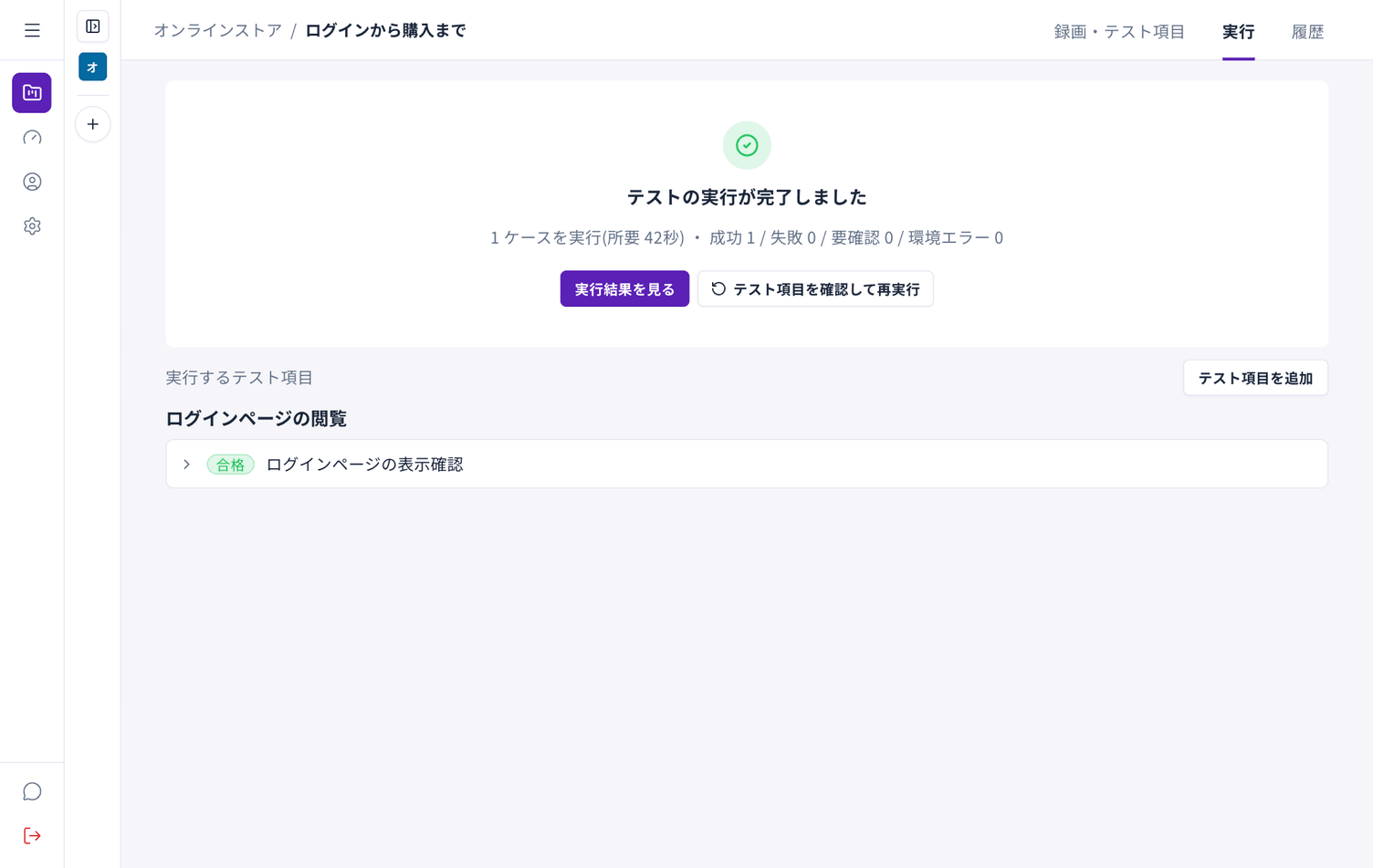
See Read your results.